
If you run ads on TikTok or Meta, you know how fast things move. Trends shift, performance drops, and what worked last week might flop today.
At Zedge, we’ve built a creative system that helps us move just as fast - turning rough ideas into ready-to-run ads in under 24 hours. No gimmicks, no overproduced AI experiments. Just a practical stack of tools that helps us write, produce, and test creative without the usual delays.
Here’s an overview of the workflow we use - built by a team that actually runs ads every day - along with tips on how any brand or creative team can put it to work.
Step 1: Spot What Works (Motion + Creative Hypotheses)
Before we make anything, we look at the data. Motion - tool for analyzing creative performance with detailed reports - is where that starts.
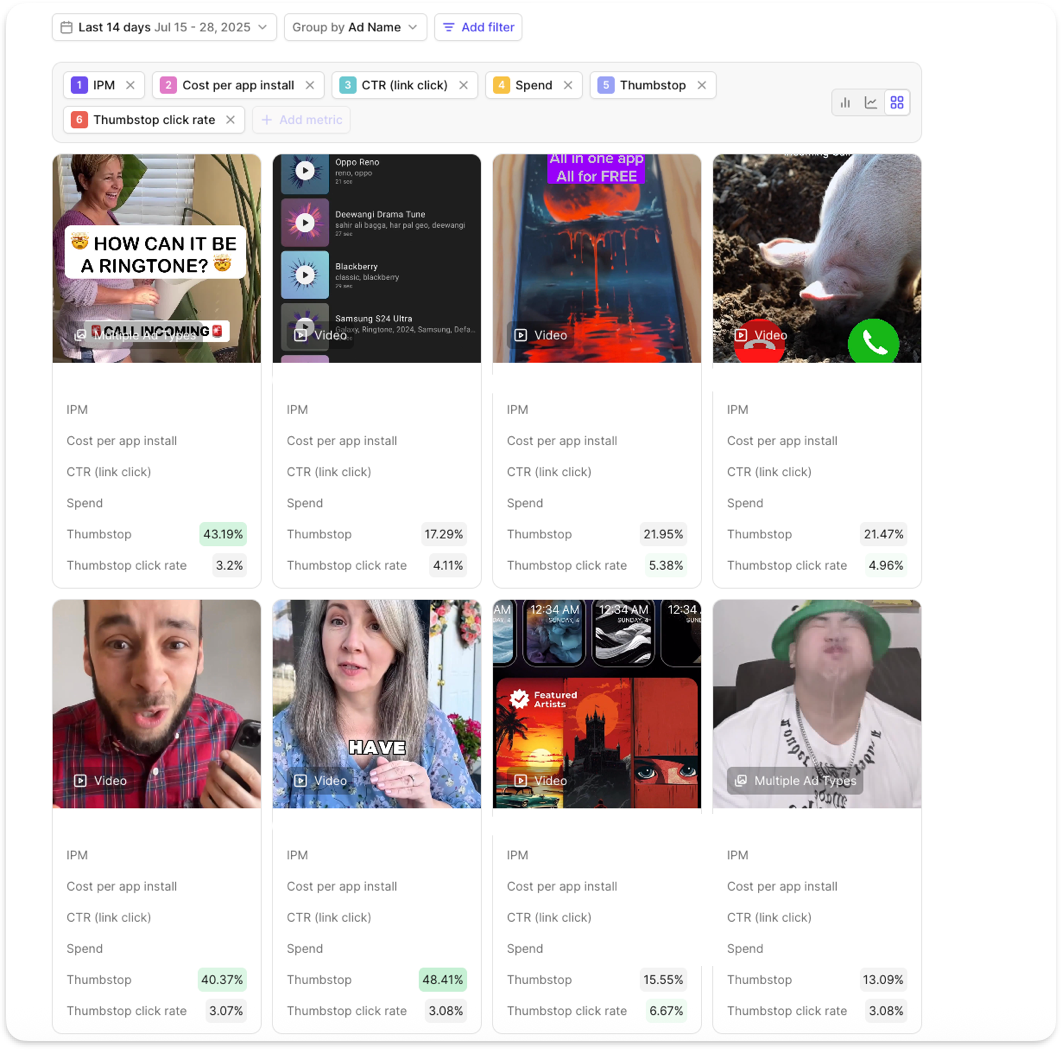
Motion breaks down top-performing creatives by hook, format, structure, and scroll behavior. This helps us spot patterns in what’s actually working - not just what looks good. From there, we build creative hypotheses such as:
- Skits using TikTok comments perform better than static demos
- Hook-first ads drive 3x higher watch time than product-led intros
- Lo-fi visuals outperform polished animation on Meta
It’s not guesswork. It’s pattern-matching, backed by scroll-stop rate, hook retention, and CTR (Click Through Rate - percentage of users who clicked the ad).
Why it works:
- Helps us decide what type of ad to make before we open any tools
- Focuses ideation around data, not gut feel
- Speeds up testing by aligning creative with performance patterns
Step 2: Script It Fast (ChatGPT)
Once we’ve got a hypothesis, we use ChatGPT to write the script.
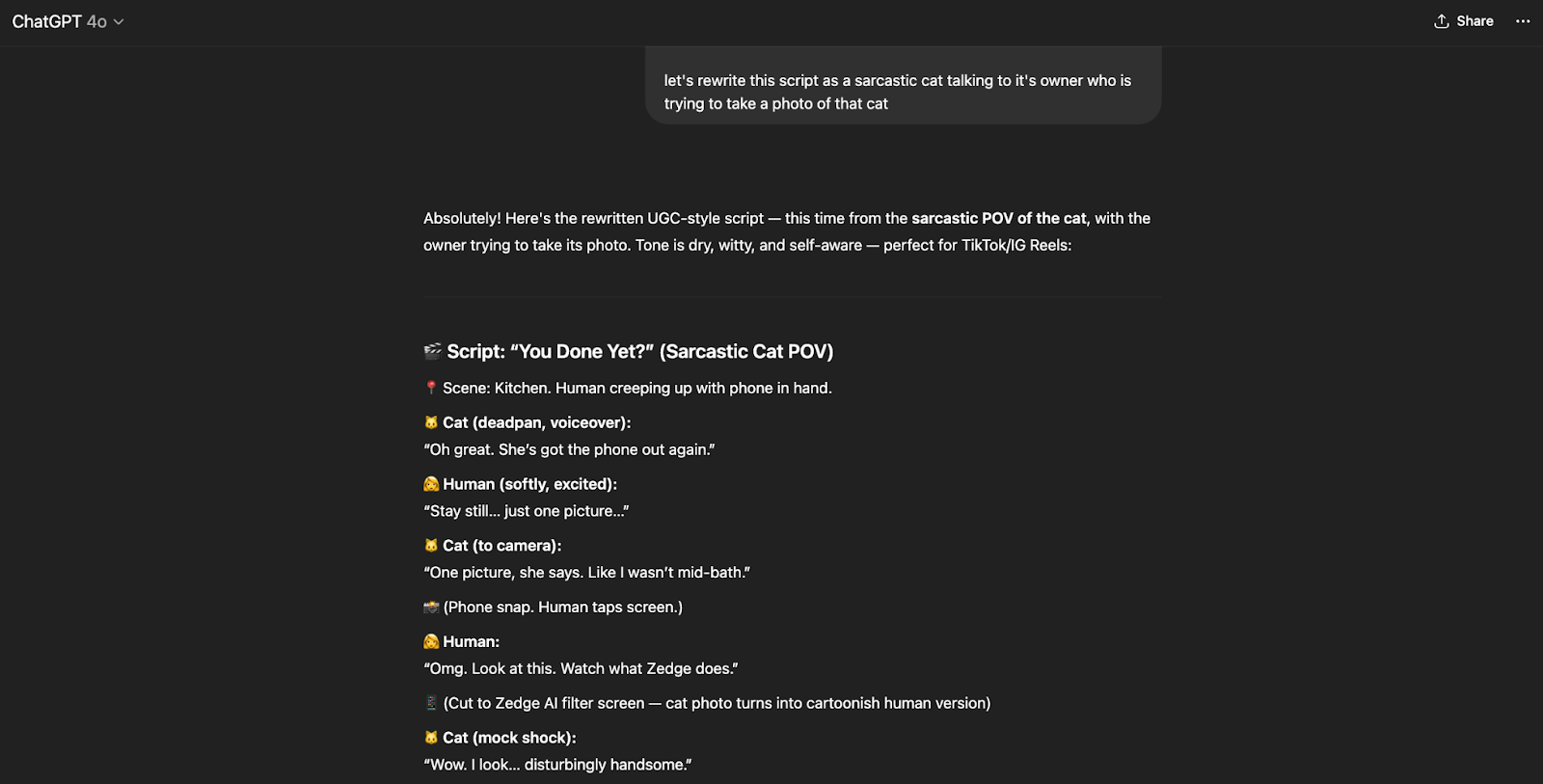
But we don’t just ask it to “write an ad.” We guide it with structure - the same way you’d brief a writer. For example:
“Write a 30-second TikTok ad for a wallpaper app. Use a comment-reply format. Start with a visual hook, then introduce the problem, then show the solution in a playful tone.”
If we want to explore variations, we’ll ask:
- “Try this with a sarcastic voice”
- “Now do it in a dramatic story format”
- “What if this was told from the user’s POV (Point of View)?”
This step gives us 3-5 usable first drafts in under 10 minutes. We refine one, lock the tone, and move forward.
Why it works:
- Eliminates blank-page syndrome
- Gives multiple tones and structures to test
- Lets us focus on editing instead of starting from scratch
Step 3: Add Voice - No Studio Required (ElevenLabs)
Once the script’s ready, we move to ElevenLabs to generate the voiceover.
We pick the tone we want - casual, excited, skeptical - and create a human-sounding read on the spot. If we tweak a line, it takes seconds to regenerate. No re-records. No talent scheduling. No bottlenecks.
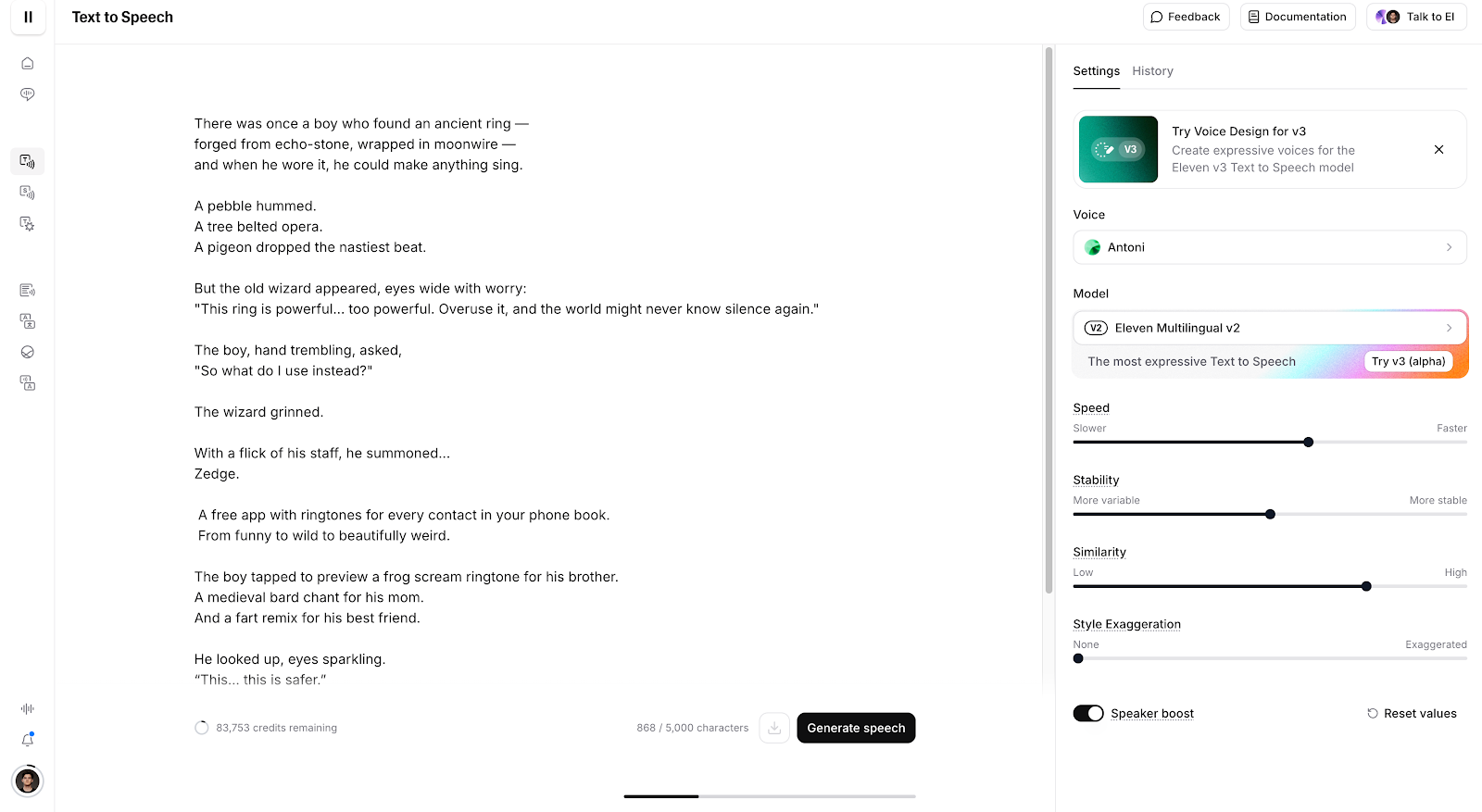
In some cases, we simulate a creator’s voice directly. That lets us A/B test before ever looping them in.
Why it works:
- Speeds up VO (Voice Over) by 10x
- Makes rapid iteration possible
- Keeps tone consistent across ad variants
Step 4: Build the Visuals (Kling AI, Arcads, Freepik AI)
Now we make it real.
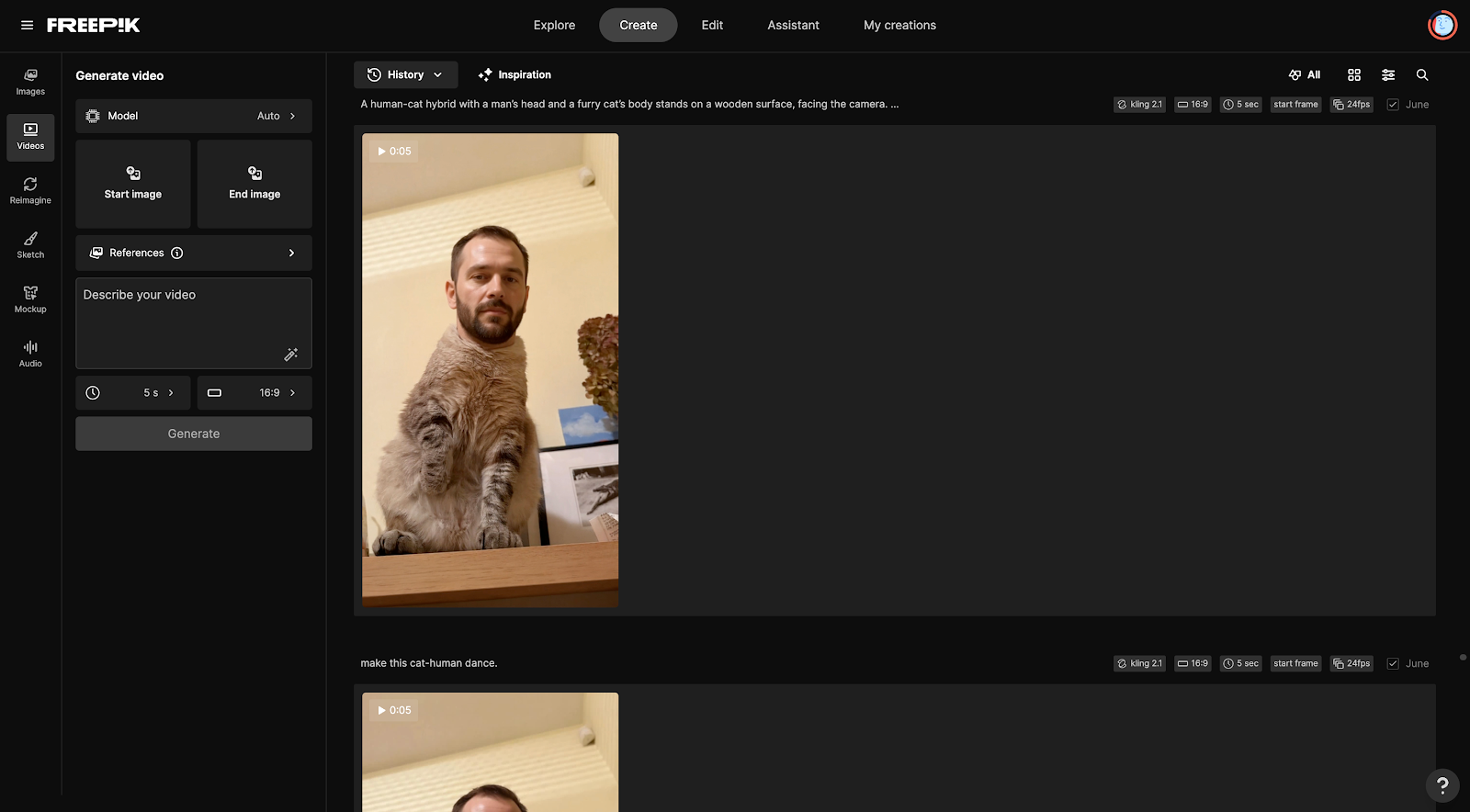
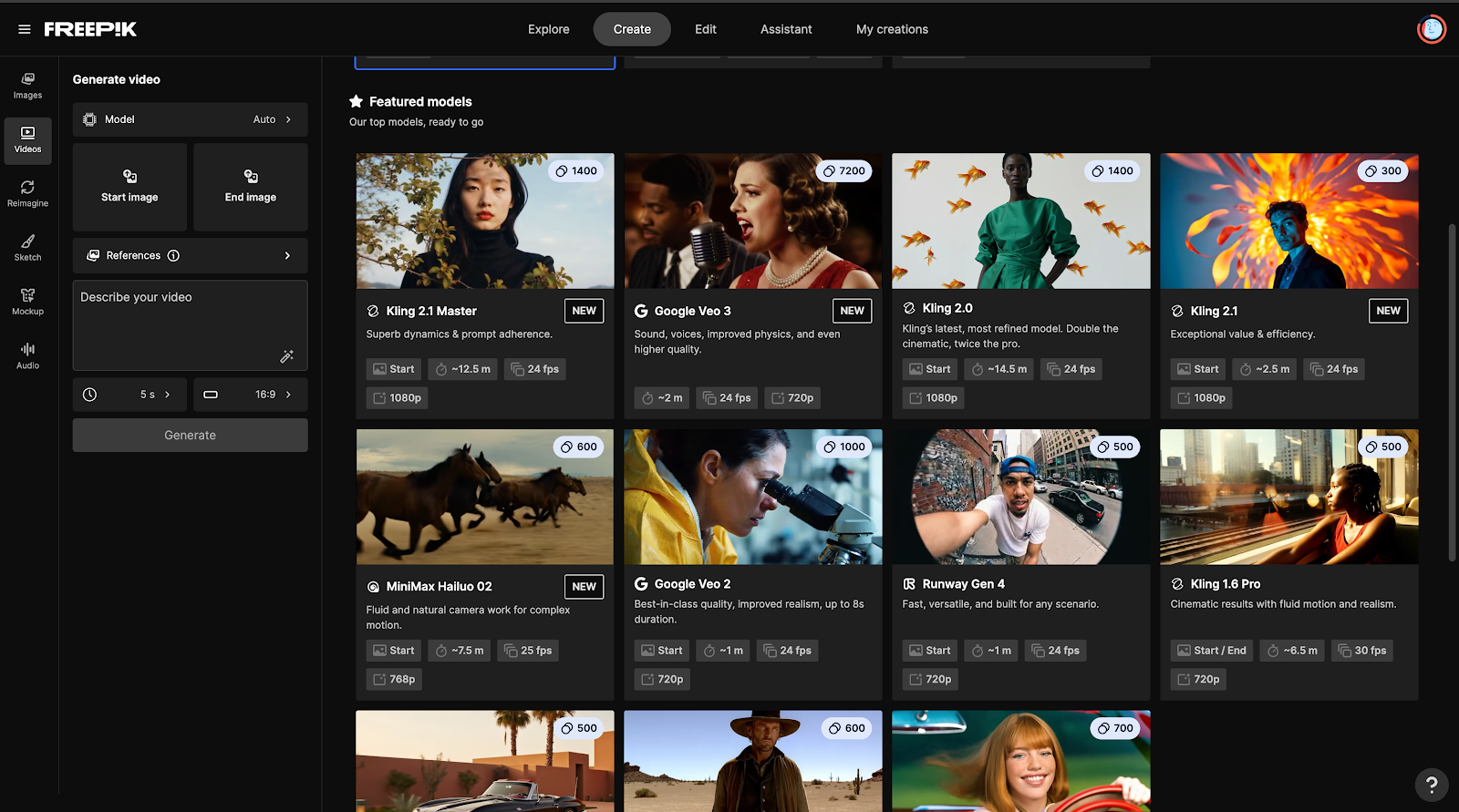
- Kling AI gives us AI-generated video backdrops and transitions. Perfect for scroll-stopping openers or stylized scenes.
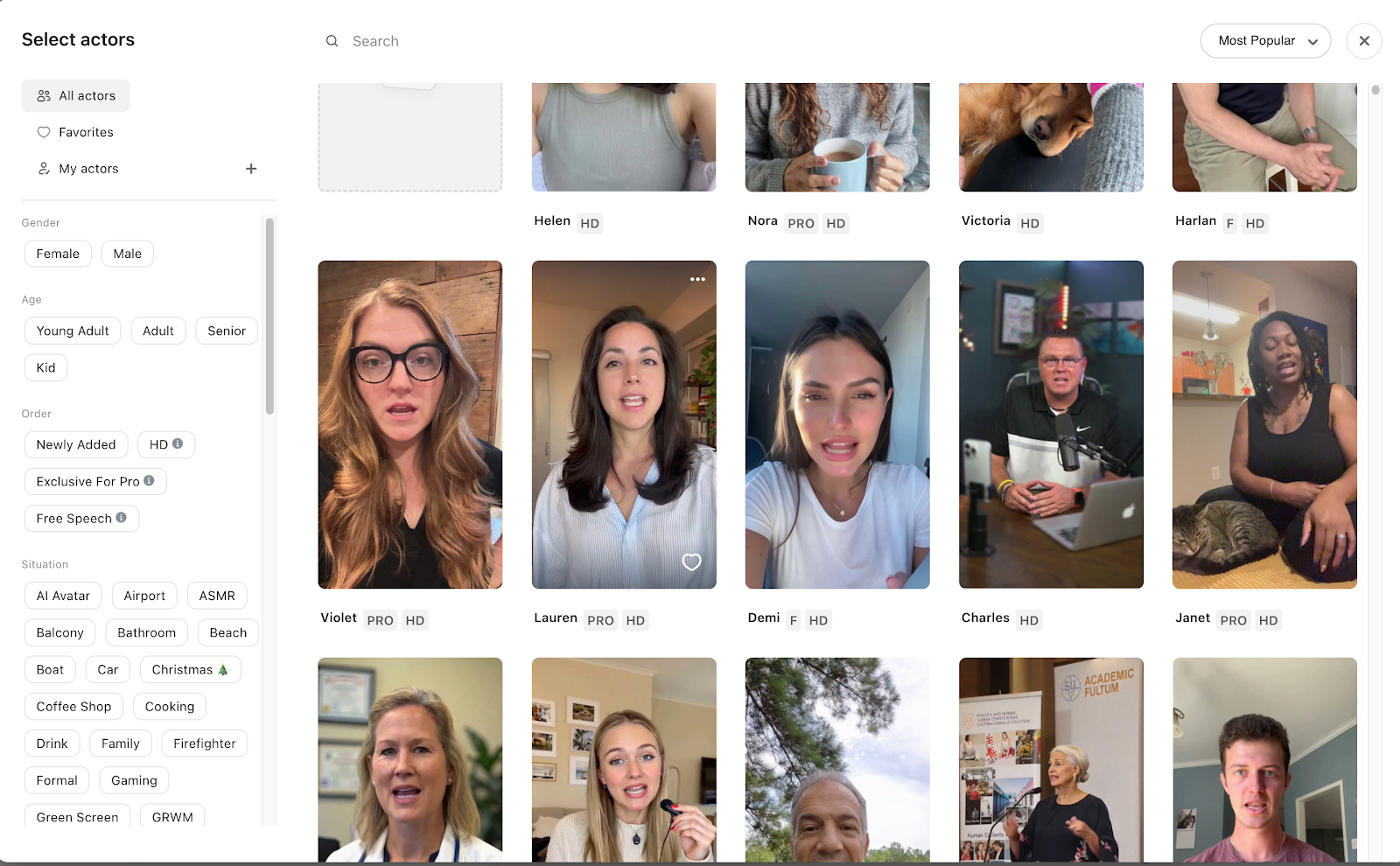
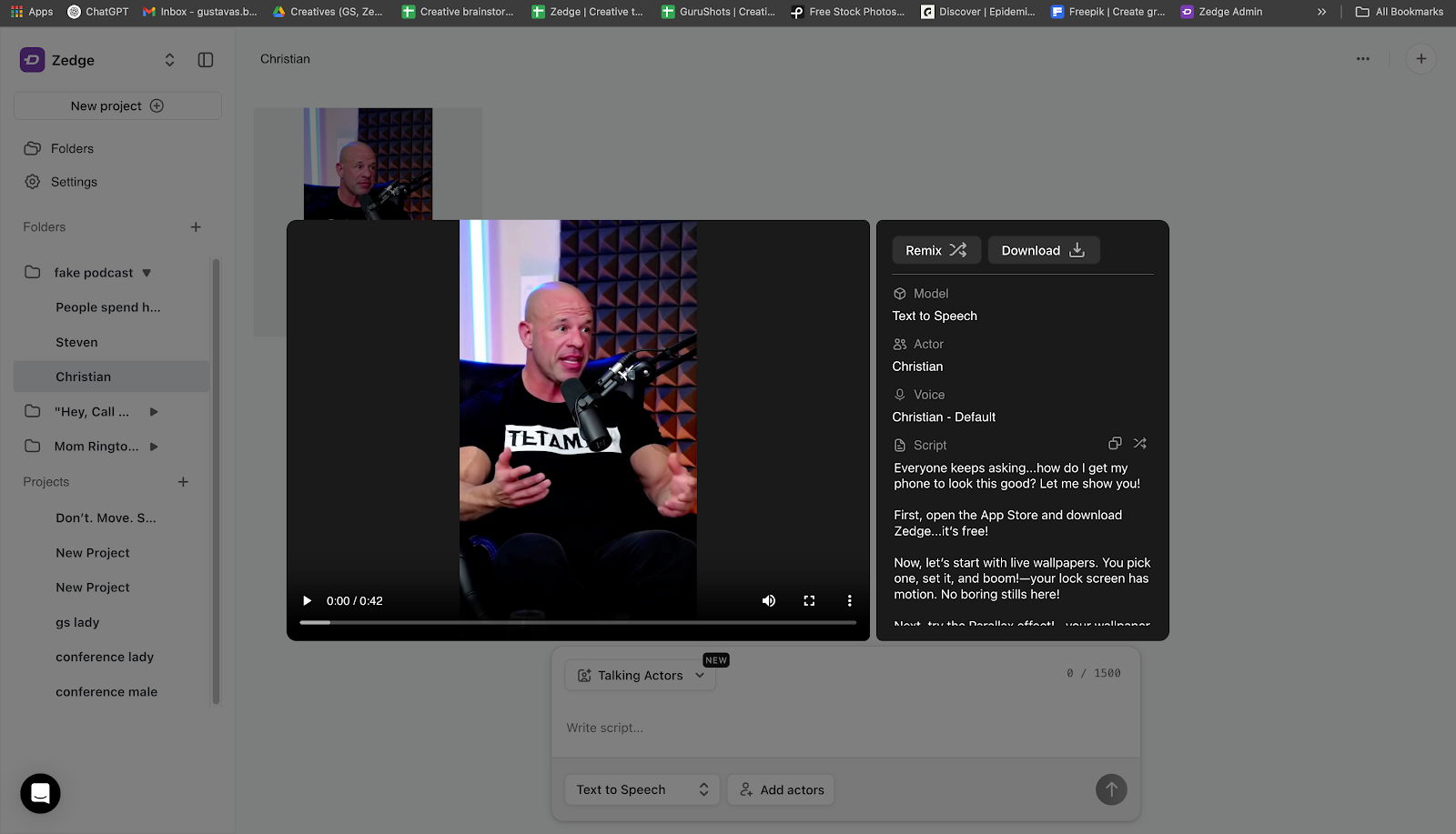
Arcads and TikTok Symphony provide AI avatars that feel native to UGC (User Generated Content). We script, generate, and drop into the edit.
Freepik AI Suite lets us upscale, expand, or reformat any visual asset. When we need to turn a 16:9 screenshot into a vertical punch-in, it takes seconds.
This step used to take a day. Now it’s 1-2 hours, max.
Why it works:
- Replaces hours of motion design or shoot planning
- Keeps creative production native to the platform
- Gives us fast visual variety to test multiple ideas
Step 5: Edit, Export, and Version (CapCut + AI Overlays)
We assemble the final cut using lightweight tools such as CapCut or Descript. Then we use AI to version it out:
- Different hooks for the same core footage
Cuts in 15s, 30s, and 60s lengths - all formatted for Meta and TikTok
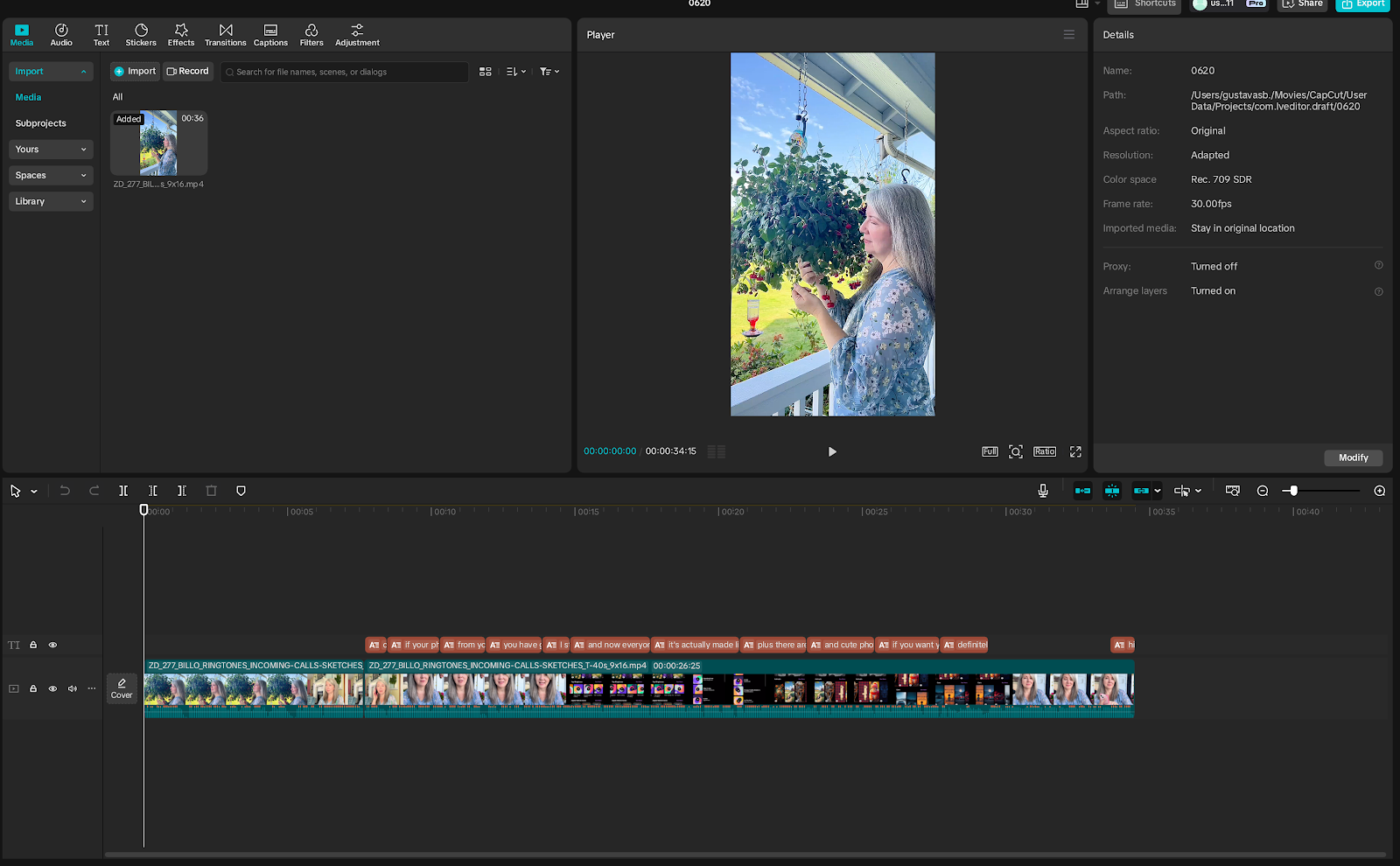
Alternate CTAs (Call To Action button or messaging) generated by ChatGPT + ElevenLabs
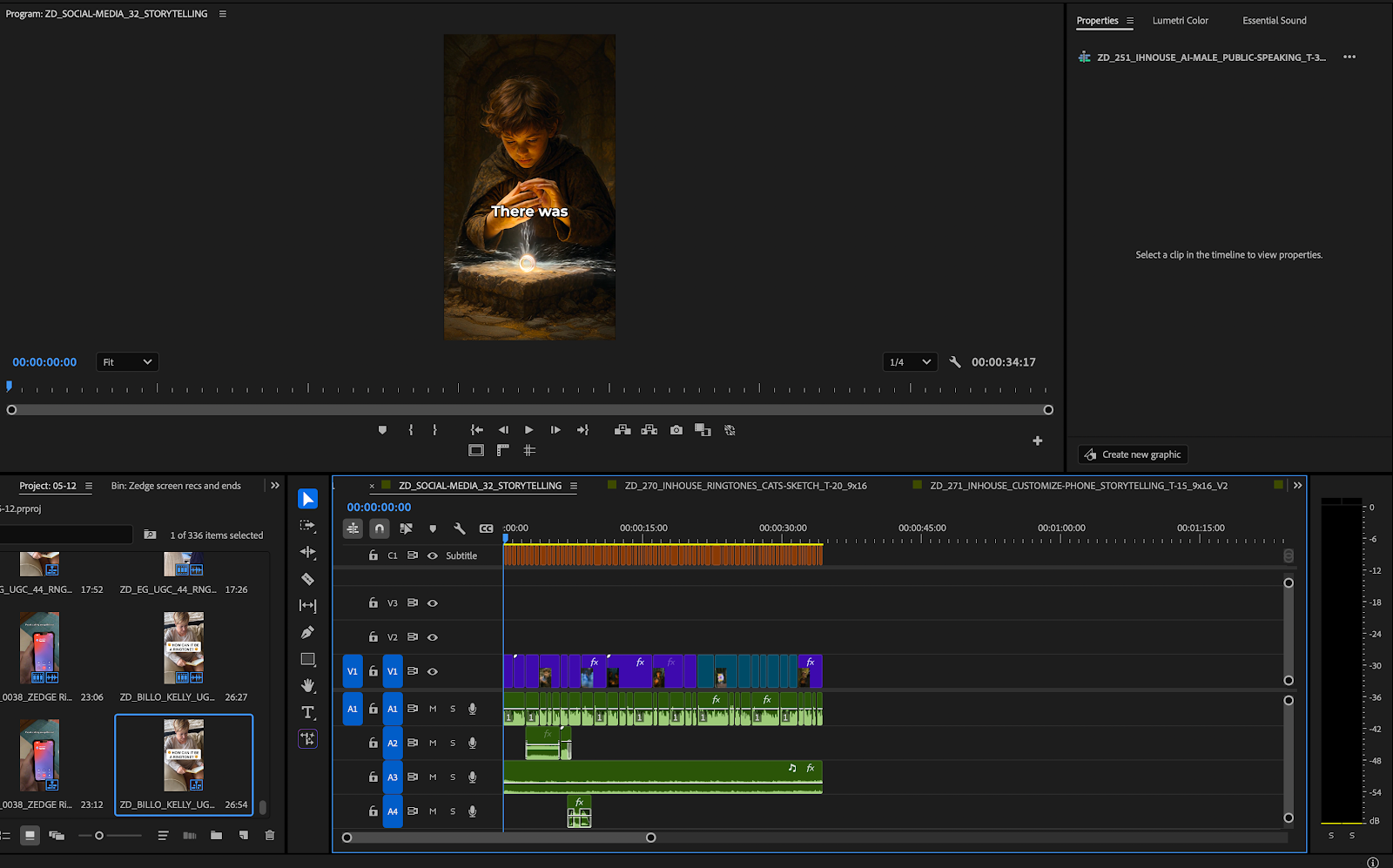
This lets us ship multiple tests without needing to re-brief the edit team.
Why it works:
- Delivers volume without sacrificing tone
- Lets us tailor creative to placement (Feed vs Reels vs Stories)
- Prevents fatigue by rotating versions early
Step 6: Launch, Measure, Iterate (Back to Motion)
Once live, we head back to Motion to watch performance in real time.
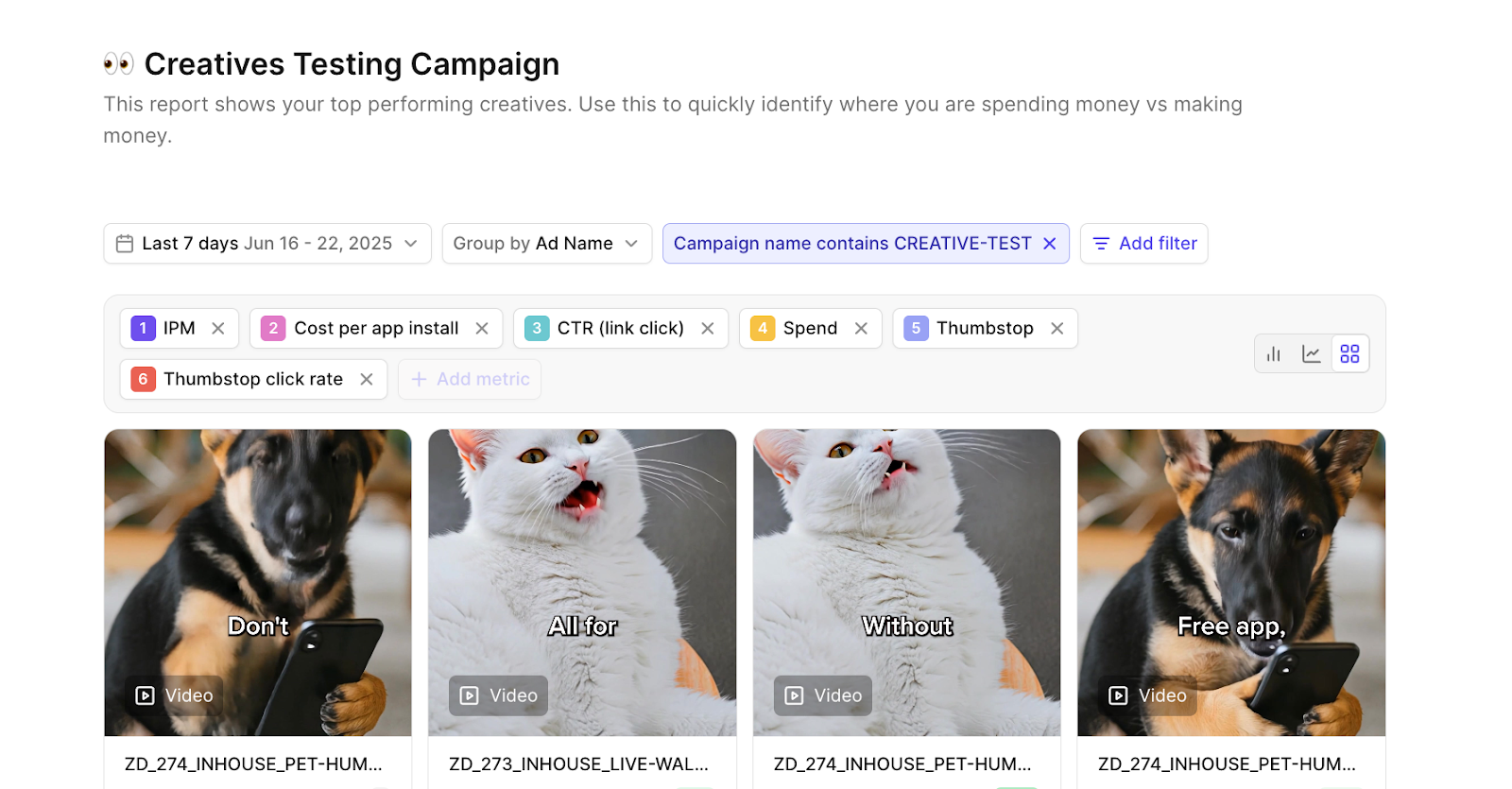
We tag every ad by:
- Product type
- Duration
- Production source (UGC vs AI vs house-made ads)
- Ad concept type
Within a few days, we know what’s working and why. And we already have the tools to iterate.
Why This Workflow Works
AI doesn’t replace creative thinking - it just clears the path so you can actually focus on it.
Before we had this system, it could take us days to write, record, and edit just one ad. Now we’re testing 3-5 versions in that same time. And the quality hasn’t dropped - it’s improved. That’s because we’re spending less time executing tasks, and more time shaping ideas.
Here’s how the work breaks down:
- AI handles script variations, voiceovers, asset production, and tagging
- We focus on finding the best angle, setting the right tone, telling stories that match the platform, and deciding what to test next
The result is simple: faster ads, smarter tests, and stronger creative output.
One Last Thing
Speed only matters if you’re running in the right direction.
This workflow works because it’s built on insight. If you skip that step – if you don’t understand what your audience cares about - the tools won’t save you.
Use AI to go faster. But use it to go deeper, too. That’s where the real creative edge comes from.